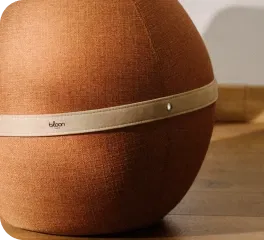



Discover in this video how to easily inflate your Bloon ergonomic ball seat .
In less than 5 minutes , your Bloon is ready to use to improve your comfort and adopt a better posture every day .
▶️ Watch the video tutorial below to follow the inflation step by step and fully enjoy your Bloon.
Follow these simple steps to inflate your Bloon optimally!
1. Take the items out of the package
- Cover with balloon already inserted
- Manual pump
- Valve remover
- Notice
2. Clip the belt
- Secure the belt around the Bloon.
- Check that the Bloon logo is oriented correctly.
3. Open the valve
-
Use the valve remover to remove the valve cap.
4. Inflate the Bloon
- Insert the pump into the valve.
- Pump for approximately 5 minutes .
- Continue until the cover is taut and there are no more visible creases .
5. Close the valve
- Remove the pump and immediately place your finger over the valve to prevent air from escaping.
- Insert the cap.
6. Test your Bloon
- Sit down and adjust the inflation level if necessary.
- The Bloon is properly tuned when:
- Your knees are slightly lower than your hips.
- Your elbows form a 90° angle on your desk or table
- The seat is comfortable and the cover is wrinkle-free.
7. Maintain inflation
- Reinflate the Bloon from time to time depending on your usage, to maintain a taut cover and optimal comfort.